TL;DR
- Crosshairs are crucial in VALORANT for aiming precision and tracking enemies effectively.
- You can import exact crosshairs used by pros themselves using their unique codes.
- Choose bright colours like cyan or green to stand out against all backgrounds.
- You can also tweak thickness, outlines, and centre dot to suit your preferences.
- Practice in Swiftplay, Unrated, and The Range to get a feel for tracking with your new crosshair.
- Experiment with different styles to find what feels right for you.
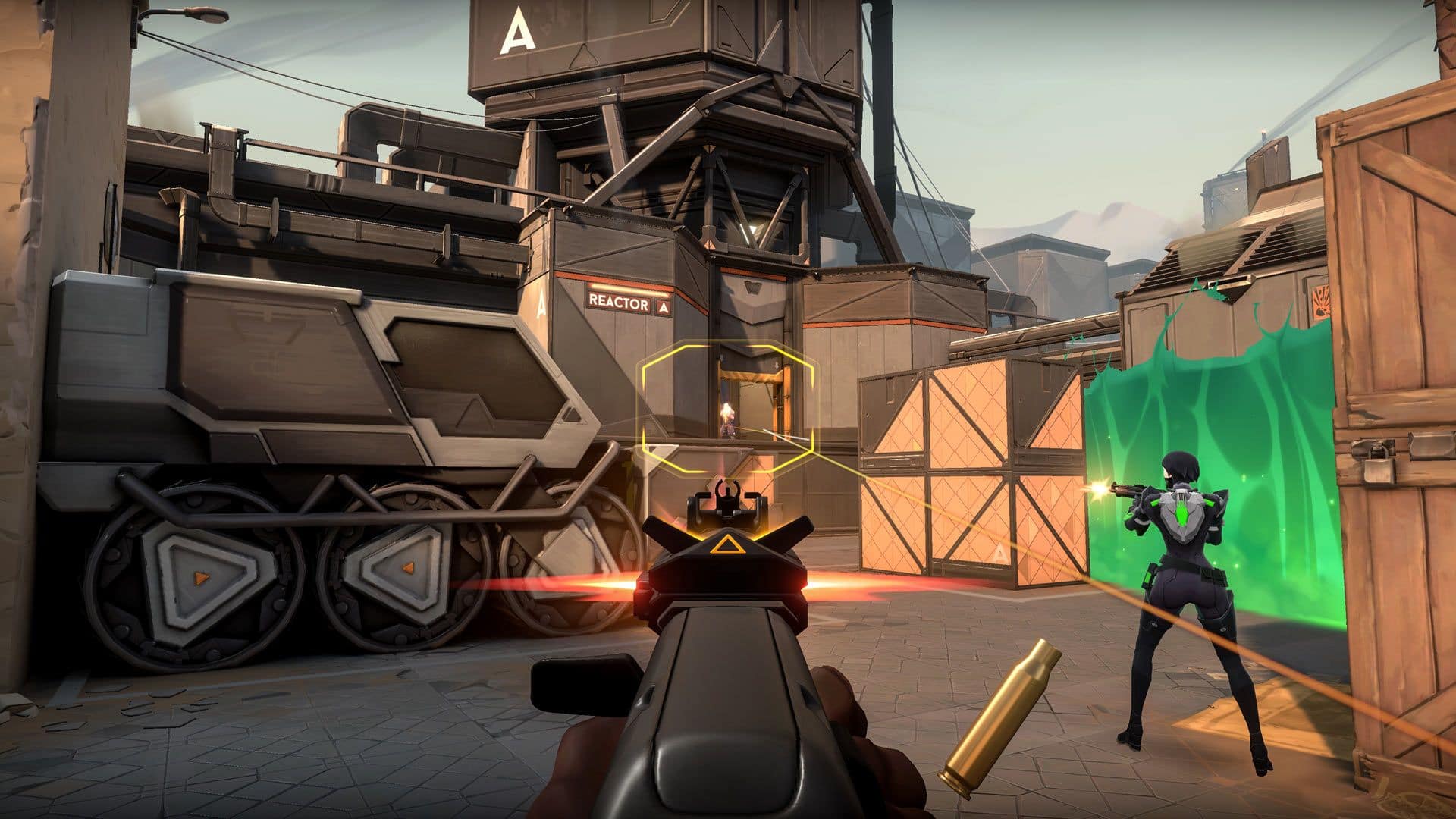
Finding the best crosshair for VALORANT in 2026 can make a sizeable difference to your aim. A clear, well-tuned crosshair can help you track easier, and it’ll raise that headshot percentage. In VALORANT, a game where every millisecond matters, being able to customise your crosshair is extremely useful, and we will go into all the different settings and recommend what’s best for your game.
VALORANT’s crosshair system enables players to fully customise their settings, from the reticle to the lengths and thickness of each line. Although you may want to simply forego all that and copy one of the pro players’ crosshairs. We’ll show you some of the best VALORANT crosshair codes and explain how to import them so you can get started with the best possible chance for success.
Best VALORANT crosshair codes in 2026
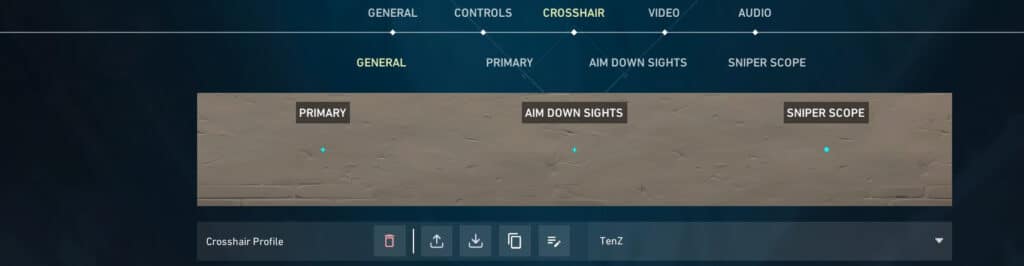
When it comes down to finding the best VALORANT crosshair codes, why not take inspiration from the pros? These VALORANT crosshairs are field-tested, on the big stage at VALORANT Champions Tour events and across countless ranked matches, so you know they work.
Whether you’re a new player or experienced, copying VALORANT pro crosshairs is a great starting point to inform your own reticle.
| Player name | Organisation name | |
|---|---|---|
| Zekken | MIBR | 0;s;1;P;c;1;t;2;o;1;d;1;0b;0;1b;0;S;b;1;c;8;s;0.823 |
| johnqt | Sentinels | 0;p;0;s;1;P;c;2;u;000000FF;h;0;f;0;0l;5;0o;2;0a;1;0f;0;1b;0;A;o;1;d;1;0b;0;1b;0 |
| bang | N/A | 0;P;h;0;0l;4;0v;4;0g;1;0o;0;0a;1;0f;0;1b;0 |
| Sacy | Retired | 0;P;c;5;o;1;0t;1;0l;4;0o;1;0a;1;0f;0;1t;3;1o;2;1a;1;1m;0;1f;0 |
| aspas | MIBR | 0;s;1;P;o;1;d;1;0b;0;1b;0;S;c;0 |
| ZmjjKK | EDward Gaming | 0;P;h;0;d;1;f;0;0l;2;0v;2;0g;1;0o;1;0f;0;1b;0 |
| CHICHOO | EDward Gaming | 0;s;1;P;c;5;u;000000FF;h;0;f;0;s;0;0l;3;0o;0;0a;1;0f;0;1b;0 |
| benjyfishy | Team Heretics | 0;P;c;7;h;0;0l;3;0o;0;0a;1;0f;0;1t;0;1l;0;1o;0;1a;0;1m;0;1f;0 |
| MiniBoo | Team Heretics | 0;p;0;s;1;P;c;7;u;0023FEFF;o;1;f;0;0t;1;0l;2;0o;2;0a;1;0f;0;1b;0;A;u;0023FEFF;o;1;d;1;z;3;0b;0;1b;0;S;c;1;t;000000FF;o;1 |
| f0rsakeN | Paper Rex | 0;p;0;s;1;P;u;000000FF;o;1;s;0;0l;1;0o;4;0a;1;0f;0;1b;0;A;o;1;0b;0;1t;1;1l;1;1o;0;1a;1;1m;0;1f;0;S;c;0;t;000000FF;o;1 |
| mindfreak | Paper Rex | 0;P;c;1;o;1;0l;4;0o;0;0a;1;0f;0;1b;0 |
| something | Paper Rex | 0;P;o;0.619;d;1;f;0;s;0;0t;1;0l;0;0o;2;0a;1;0f;0;1b;0 |
| Boaster | Fnatic | 0;s;1;P;c;1;o;1;d;1;0l;0;0o;2;0a;1;0f;0;1t;0;1l;0;1o;0;1a;0;S;c;1;o;1 |
| Alfajer | Fnatic | 0;p;0;s;1;P;h;0;f;0;0l;2;0o;2;0a;1;0f;0;1b;0;A;c;5;o;1;d;1;0b;0;1b;0;S;s;0.628;o;1 |
| Chronicle | Fnatic | 0;P;c;7;o;1;f;0;0t;1;0l;3;0v;3;0g;1;0o;2;0a;1;0f;0;1b;0 |
| Leo | Fnatic | 0;P;h;0;0l;3;0o;0;0a;1;0f;0;1b;0 |
| t3xture | Gen.G | 0;s;1;P;c;8;o;0;b;1;f;0;0l;3;0v;3;0o;2;0a;1;0f;0;1b;0;S;o;0 |
| Karon | Gen.G | 0;s;1;P;o;1;d;1;0b;0;1b;0;S;d;0 |
| trent | G2 Esports | 0;P;o;1;0l;3;0o;2;0a;1;0f;0;1b;0 |
| JonahP | G2 Esports | 0;P;c;4;h;0;0a;1;0f;0;1b;0 |
| jawgemo | G2 Esports | 0;s;1;P;c;7;u;000000FF;o;1;d;1;f;0;0l;2;0v;0;0g;1;0o;0;0a;1;0f;0;1b;0;S;s;0.75;o;1 |
| leaf | G2 Esports | 0;P;c;6;h;0;0l;8;0o;1;0a;1;0f;0;1t;4;1l;0;1o;3;1a;1;1m;0;1f;0 |
| C0M | Leviatan | 0;p;0;s;1;P;c;7;u;0023FEFF;o;1;f;0;0t;1;0l;2;0o;2;0a;1;0f;0;1b;0;A;u;0023FEFF;o;1;d;1;z;3;0b;0;1b;0;S;c;1;t;000000FF;o;1 |
| Demon1 | Leviatan | 0;p;0;s;1;P;u;045DD8FF;o;1;f;0;0t;1;0l;3;0v;3;0o;2;0a;1;0f;0;1b;0;A;u;003D32FF;o;1;0t;1;0l;3;0o;2;0a;1;0f;0;1b;0;S;c;1;o;1 |
| Cryocells | 100 Thieves | 0;P;h;0;0l;4;0o;0;0a;1;0f;0;1b;0 |
| Asuna | 100 Thieves | 0;P;o;1.000;m;1;0a;1.000;0l;2;0t;1;0f;0;0v;2;1b;0;1m;0;1f;0 |
| Derke | Team Vitality | 0;P;c;8;b;1;t;1;o;1;z;2;a;1;0t;2;0l;6;0v;6;0o;3;0a;0.8;0s;1;0e;1;1t;2;1l;2;1v;2;1o;10;1a;0.35;1s;1;1e;1;u;FFFFFF;d;1;h;1;0g;0;1g;0;0f;0;1f;1;0m;0;1m;1;0b;0;1b;0;m;0 |
| Meteor | T1 | 0;s;1;P;u;000000FF;o;1;d;1;f;0;0b;0;1b;0;S;o;1 |
| yay | Evil Geniuses | 0;s;1;P;o;1;d;1;z;1;0b;0;1b;0;S;o;1 |
| TenZ | N/A (Content Creator) | 0;s;1;P;c;5;h;0;m;1;0l;3;0o;0;0a;1;0f;0;1b;0;S;c;5;o;1 |
*These crosshairs are sourced from the VALORANT crosshair database via Tracker.gg and prosettings.net and may change.
How to copy crosshairs in VALORANT
While you can make your own crosshair from scratch, it’s often easier to use one tried and tested straight from the pros. Follow these simple steps on how to copy crosshairs in VALORANT:
- Go the the Main Menu and click Settings
- Open the Crosshair Settings menu.
- Click “Import Profile”, and a new window will pop up.
- Copy and paste any of the listed VALORANT crosshair codes into the field.
- Press “Import” and pick a name for your new crosshair.
Once you’ve followed these steps, your shiny new crosshair will be in the preview image at the top of the page, and you can debut it in your next games. You can have up to 15 imported crosshair codes at any given time, so choose wisely! If you’d like to share your crosshair code with friends, you can also click “Export Profile” to copy your crosshair to your clipboard.
We recommend practising with your new crosshair at The Range map before pitting it against real players.
All types of VALORANT crosshairs
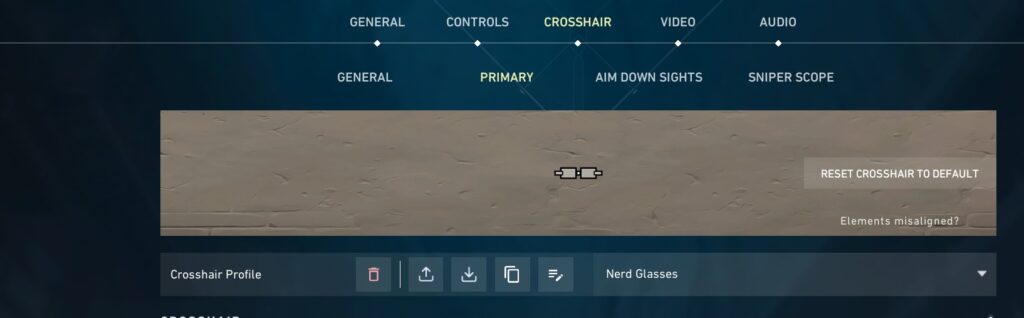
VALORANT offers a wide range of crosshair customisation options, but it can easily be divided into the following categories:
- Classic crosshair: The standard four-line reticle most seen in other FPS games like Overwatch 2 and CS2. The majority of players prefer this type of crosshair.
- Dot crosshair: A minimal dot at the centre, great for players looking for more precision or for sniping.
- Circle crosshair: Formed by adjusting inner/outer lines; useful for shotguns or wide-spread weapons.
- T-crosshair: This is a variation of the standard cross reticle, just without the top line, reducing visual clutter above a target.
- Dynamic crosshair: Expands with movement and shooting; good for newer players learning spray control.
- Custom crosshair: Many players like to play around with unique crosshair styles as per their personal preferences. These can include practical crosshairs to funny, aesthetic ones – you can have anything from nerd glasses to even cat-shaped reticles.
- Sniper/Aim down sights (ADS) crosshair: You can create custom crosshairs for scoped weapons or ADS shots.
Mix and match settings to find what feels right for you – there is no right or wrong answer.
How to change your VALORANT crosshair settings
To change your VALORANT crosshair, head to Settings > Crosshair in the main menu. From there, navigate to Primary and you can tweak everything – inner lines, outer lines, centre dot, outlines, firing error, colour, and more – to create a setup that works for you.
You’ll see a live preview of your changes in the settings menu above the options, and as mentioned earlier, you can import or export any of the above from our VALORANT crosshair codes list to easily share setups with friends or copy a pro’s settings.
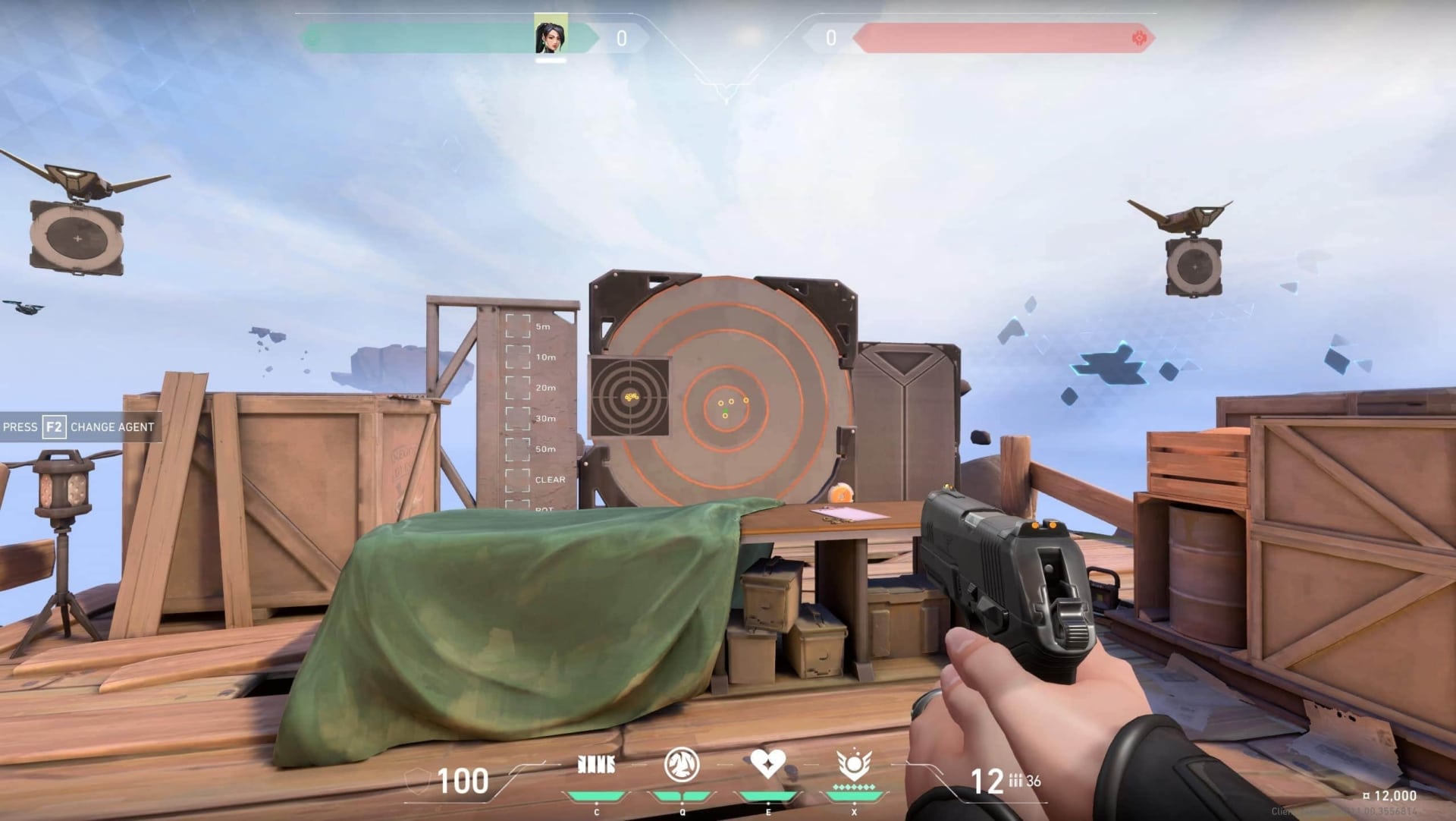
Practising with a new crosshair
Once you’ve settled on the crosshair you want to try out, actually try it out. You can dive straight into some DM or TDM; it may feel slightly awkward at first, but you will know if it’s right or not. Give it a match or two, but don’t try and force it to work when you know it won’t. Don’t be afraid to make some tweaks here and there to fine-tune it, and when the stars align, you’ll be hitting heads in no time. It’s all about your personal preference; if it feels right, it is right.
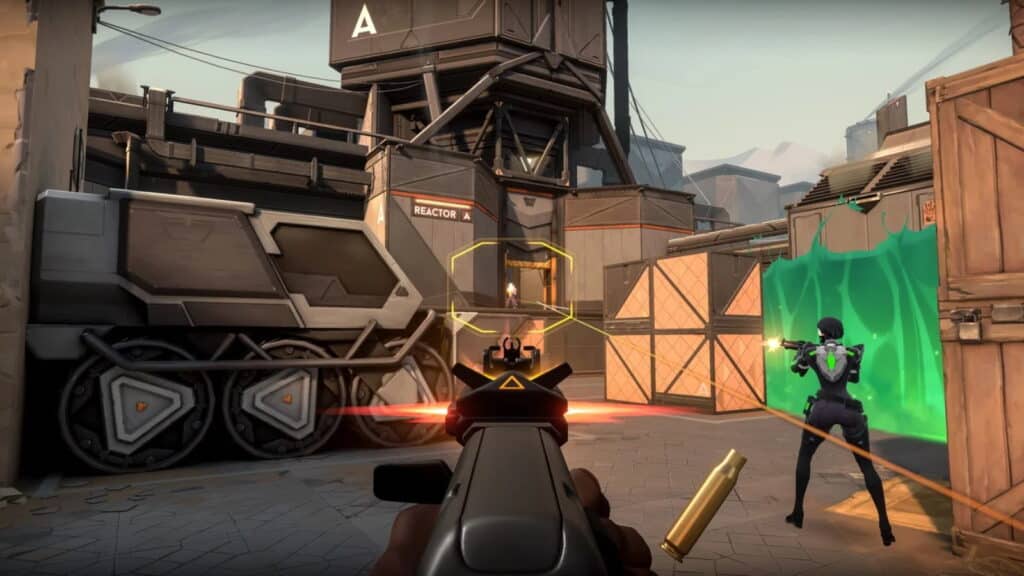
Tips for getting the best VALORANT crosshair settings
Technically, there’s no universal “best” VALORANT crosshair – it all depends on your personal preferences and what you feel most at home using. That being said, there are additional settings you can dial in and practices you can implement to get the most out of your chosen crosshair.
Pick a visible colour
VALORANT crosshair colours range from bright tones like Cyan and Green to darker tones like Grey and Black. You should always choose a crosshair colour that’s brighter than the background, so it stands out more against the graphics and makes it easier to track heads and land shots. For this reason, most pro players choose Green or Cyan.
Adjust your sensitivity
Maybe the crosshair isn’t your issue. If you like the crosshair you have but are still failing those crucial 1v1s, then maybe you need to adjust other settings like sensitivity It’s not enough to just have a good VALORANT crosshair; most pro players have a low sens and low DPI. For example, Shroud, who is one of the most popular players, plays at 800 DPI and 0.3 in-game. This is all personal to you, and whatever you find most comfortable is what you need to succeed
Try dynamic vs. static
Dynamic crosshairs expand while moving or spraying, giving real-time feedback on your accuracy. Static crosshairs stay fixed no matter what, offering a cleaner, distraction-free look. Most pros stick with static for precision, but it’s all down to personal preference. Try both styles to see which helps you stay more consistent under pressure.
Match your role/playstyle
Adjust your crosshair based on your preferred role or playstyle. VALORANT lets you save up to 15 different crosshair profiles, giving you plenty of flexibility to experiment and swap depending on the current situation. Duelists often favour smaller, tighter crosshairs for faster and more precise flick shots in high-pressure gunfights. Meanwhile, Sentinels or support players may benefit from slightly larger or more visible crosshairs to help line up utility throws like smokes or walls with greater accuracy.
Trust your gut
You don’t need to fall into the trap of “Give it time.” This is a crosshair, not sensitivity; you don’t need to build muscle memory with it. You should know pretty fast if you’re not vibing with it. Give it some practice, play some DM or TDM, jump into a few real matches, and you can fine-tune and play with the settings on the fly. Once you find your best VALORANT crosshair, you will know.
Conclusion
Choosing the best VALORANT crosshair settings comes down to feeling and visibility. While you can use the pro player codes as a good base for what the best players find comfortable and succeed with, the most important step is that they feel natural to you in live matches. This will enable you to stay confident under pressure in clutch situations or those all-important 1v1s.
Whether you copy a crosshair from the VCT stage using any of the VALORANT crosshair codes, or customise it from scratch, make sure you practice with it, give it some real thought, but don’t linger with it. You will know what’s right for you, and the best crosshair for you will give you the tools to succeed. You’ll win more duels, and your clips will look better in the end. This will help you climb up the ranks.
FAQs
What crosshair is best for VALORANT?
The best VALORANT crosshair is one that you find the most comfortable. This could be small, static crosses or large crosshairs with big gaps in between. You need to experiment to see which one you flow the best with in-game, but the general standard is one that is visible against the background and one that you like.
What is TenZ’s crosshair code?
TenZ’s crosshair code is 0;s;1;P;c;5;h;0;m;1;0l;3;0o;0;0a;1;0f;0;1b;0;S;c;5;o;1, which is a cyan tiny cross reticle.
How to find your perfect VALORANT crosshair?
Test out different crosshair styles in The Range or custom games until you find one that feels the most natural to your aim. Start with a simple dot or small cross and tweak the colour, thickness, and outlines to match your visibility and comfort.
How do I choose a VALORANT crosshair?
It all comes down to clarity and confidence – pick a crosshair that helps you track heads easily without being too distracting. Many pros coming from CS2 opt for the dot crosshair in VALORANT for pinpoint accuracy.
What are the most popular VALORANT crosshairs?
Some of the top VALORANT crosshairs include simple, static styles like a small green cross with no outlines or centre dot. Crosshairs from pro players like TenZ, Shroud, and Zekken are especially popular, with many fans copying their exact settings for a clean, headshot-ready look.
REFERENCES
- Valorant Crosshairs (Tracker.gg)
- VALORANT (ProSettings)